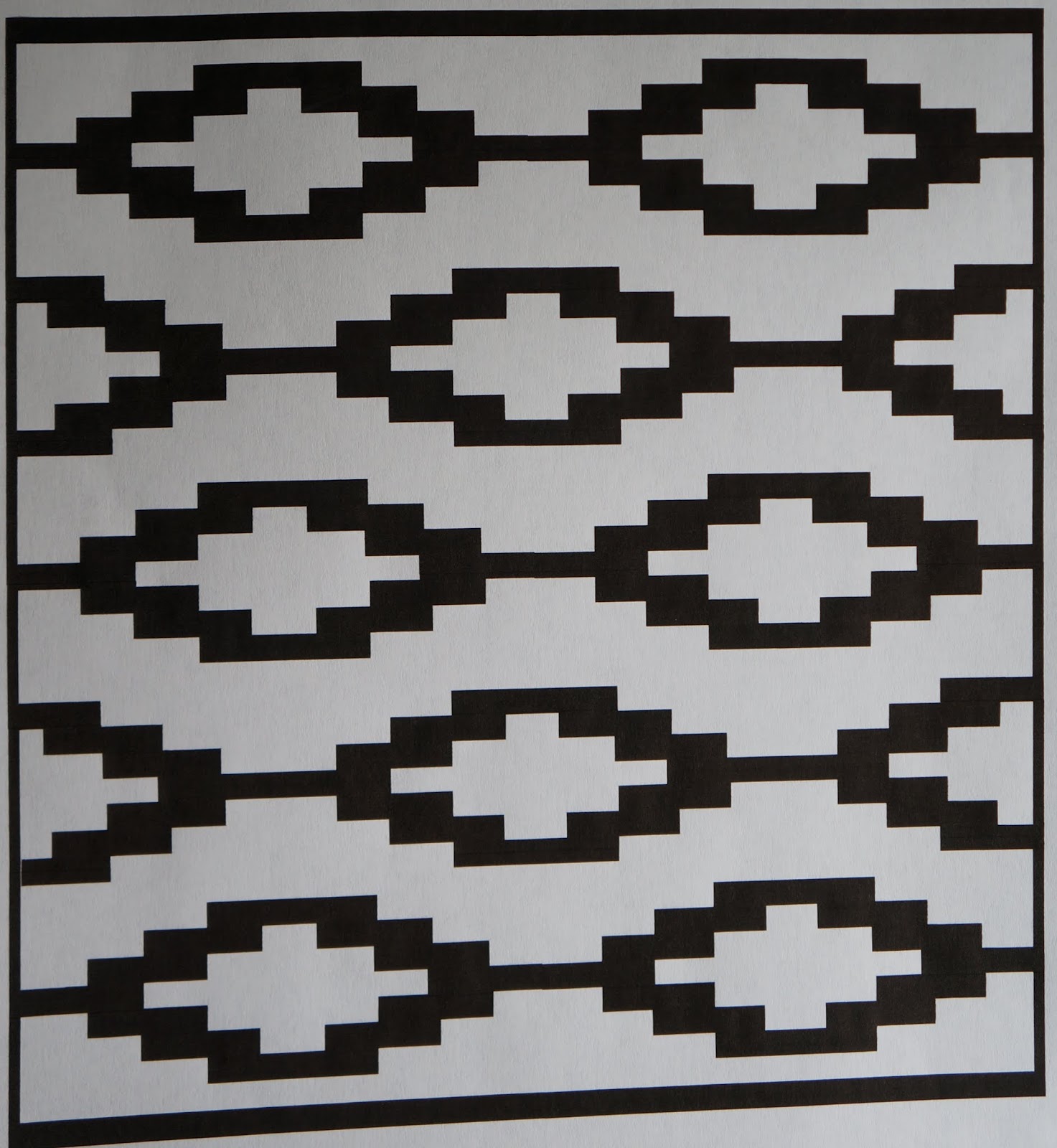
This weekend I worked on some chicken monoprints with my new stencils.
I have some more with the background and main body printed, and I just need to do the detail stencil print.
Monday, October 19, 2015
Monday, October 5, 2015
Stencil making with my ScanNCut
I have been doing a lot of gelli printing and was previously designing my own stencils and cutting them out by hand.
I decided to get a ScanNCut as I wanted my stencil making to be quicker and easier. The best part is, after you save a design, you can cut it again and again, and in different sizes.
Here is a design I did using the "add shapes" function in word and and copying and pasting the repeated shapes. I know that ScanNCut has their own software or website for making cut files, but I haven't tried it. I stuck with the "animal I know".
Here is my stencil. You can see I have some "hanging chads" that did not cut out completely, but these were easily cut out with an Exacto knife.
In addition to the stencil, I know have all these diamonds I can use as masks.
This design I also did in Word, using the "insert shapes". These shapes are all just lines that I made a thick point width.
Here is my stencil. I can't wait to try it out.
So now we get to the type of stencil I really bought this machine to cut out. This type of detailed stencil would have been time consuming to cut by hand. And if I didn't like it in the end, I would have felt that all that time was wasted. This is my image printed on paper.
The ScanNCut does not disappoint (matte stencil). I love how much detail I can get with it.
And I thought I need an egg stencil as well. I just used the pre-programmed egg shape in the machine and added multiples and lined them up. Seriously, this took me 10 minutes to "design" and cut.
I love how much detail I can get with this machine. I will add the following remarks.
-I like the matte stencil material better than the clear (both are Duralar .005 mil). I also think the matte cuts a bit easier for some reason.
-Using the built-in designs gets a much cleaner cut, especially for round or curved shapes. I did some circles in Word (printed, scanned in and then cut), and they were very jagged around the edges. Any hand drawn patterns are a bit rough around the edges (as in, not a nice smooth straight cut, a bit jagged). The straight lines from the Word documents (printed, then scanned into the machine) were straight and smooth.
-If you draw a small design, but then have it cut big, any unevenness in the drawing will be more obvious in the bigger version. (In other words, it is better to draw big, and cut small, instead of the other way around).
-Sometimes there are cut lines where I don't want them. Usually these can be deleted without affecting the design (before cutting), but sometimes I miss one. I don't realize it until I have cut the stencil. If it is a wide section, I will just use contact paper on both sides of the stencil to re-attach it. Otherwise, I either need to live with it (or cut out a section) or re-scan the picture and pay more attention (zooming in) to all the cut lines.
- I always have some "hanging chads" (except the eggs) which need to be removed with an Exacto knife.
-I do think it's a bit on the pricey side, and it really comes with no instructions. I watched YouTube videos for a week before I even took it out of the box.
Is this machine perfect? No. Does it give me what I want? Yes, most of the time and with a little perseverance. I like the hand-drawn stencil quality I get with my hand-drawn drawings, but am no way a perfectionist anyway. I think it was a good investment for me and I have been using it quite a bit.
I decided to get a ScanNCut as I wanted my stencil making to be quicker and easier. The best part is, after you save a design, you can cut it again and again, and in different sizes.
Here is a design I did using the "add shapes" function in word and and copying and pasting the repeated shapes. I know that ScanNCut has their own software or website for making cut files, but I haven't tried it. I stuck with the "animal I know".
Here is my stencil. You can see I have some "hanging chads" that did not cut out completely, but these were easily cut out with an Exacto knife.
In addition to the stencil, I know have all these diamonds I can use as masks.
This design I also did in Word, using the "insert shapes". These shapes are all just lines that I made a thick point width.
Here is my stencil. I can't wait to try it out.
So now we get to the type of stencil I really bought this machine to cut out. This type of detailed stencil would have been time consuming to cut by hand. And if I didn't like it in the end, I would have felt that all that time was wasted. This is my image printed on paper.
The ScanNCut does not disappoint (matte stencil). I love how much detail I can get with it.
And I thought I need an egg stencil as well. I just used the pre-programmed egg shape in the machine and added multiples and lined them up. Seriously, this took me 10 minutes to "design" and cut.
I love how much detail I can get with this machine. I will add the following remarks.
-I like the matte stencil material better than the clear (both are Duralar .005 mil). I also think the matte cuts a bit easier for some reason.
-Using the built-in designs gets a much cleaner cut, especially for round or curved shapes. I did some circles in Word (printed, scanned in and then cut), and they were very jagged around the edges. Any hand drawn patterns are a bit rough around the edges (as in, not a nice smooth straight cut, a bit jagged). The straight lines from the Word documents (printed, then scanned into the machine) were straight and smooth.
-If you draw a small design, but then have it cut big, any unevenness in the drawing will be more obvious in the bigger version. (In other words, it is better to draw big, and cut small, instead of the other way around).
-Sometimes there are cut lines where I don't want them. Usually these can be deleted without affecting the design (before cutting), but sometimes I miss one. I don't realize it until I have cut the stencil. If it is a wide section, I will just use contact paper on both sides of the stencil to re-attach it. Otherwise, I either need to live with it (or cut out a section) or re-scan the picture and pay more attention (zooming in) to all the cut lines.
- I always have some "hanging chads" (except the eggs) which need to be removed with an Exacto knife.
-I do think it's a bit on the pricey side, and it really comes with no instructions. I watched YouTube videos for a week before I even took it out of the box.
Is this machine perfect? No. Does it give me what I want? Yes, most of the time and with a little perseverance. I like the hand-drawn stencil quality I get with my hand-drawn drawings, but am no way a perfectionist anyway. I think it was a good investment for me and I have been using it quite a bit.
Monday, September 21, 2015
Leaves, fabric collage
I while ago I had made this fabric collage with different fabrics, sun printed it with Setacolor paints, and then free-motion stitched the leaves onto it. You can see that post here.
I wanted to create a companion piece with more color. I sun printed leaves on two layers of fabric, a polyester sheer (shown here),
and a heavy cotton canvas (below). As you can see, the paint did not completely cover the canvas. I went in afterwards and covered any white canvas areas with paint.
When I was testing the sheer over the canvas, the canvas seemed too bright for the background, so I applied a coat of transparent Cerulean blue over the entire canvas. The yellow areas became green, and the magenta areas are a dark blue-purple. I then free motion stitched around the leaf patterns that were printed on the polyester sheer, and cut around the leaves to expose the canvas. I wrapped the fabric around a 15" x 30" canvas and stapled it on the back side.
Detail.
I love to combine color, pattern, and fabric.
I wanted to create a companion piece with more color. I sun printed leaves on two layers of fabric, a polyester sheer (shown here),
and a heavy cotton canvas (below). As you can see, the paint did not completely cover the canvas. I went in afterwards and covered any white canvas areas with paint.
When I was testing the sheer over the canvas, the canvas seemed too bright for the background, so I applied a coat of transparent Cerulean blue over the entire canvas. The yellow areas became green, and the magenta areas are a dark blue-purple. I then free motion stitched around the leaf patterns that were printed on the polyester sheer, and cut around the leaves to expose the canvas. I wrapped the fabric around a 15" x 30" canvas and stapled it on the back side.
Detail.
I love to combine color, pattern, and fabric.
Monday, September 14, 2015
12" x 14" gelli prints, cranes
Using the larger 12" x 14" gelli plate, I printed some larger crane images. This first one is definitely my favorite.
I think using red on the crane makes it look more like a flamingo than a crane. They are still pretty awesome.
This background is hot pink and orange, it looks even more vibrant in person.
I think using red on the crane makes it look more like a flamingo than a crane. They are still pretty awesome.
This background is hot pink and orange, it looks even more vibrant in person.
Friday, September 11, 2015
Crane gelli prints
I am still working on a series based on Sandhill cranes, using gelli prints. Since I have been needing a lot of detailed stencils recently, I bought a ScanNCut. I have really enjoyed using it to cut my stencils, but it definitely required some patience figuring some things out, as there is not much in the way of instructions that come with it. I definitely watched a lot of YouTube videos before I even took it out of the box.
I must say that I love my new crane stencil and it has way more detail than I could have gotten by cutting by hand.
The other nice thing about the ScanNCut, is that it saves the file and I can re-size it. All these prints were done on the 8"x 10" gelli plate, but I also had the ScanNCut cut a bigger stencil to use on the 12" x 14" gelli plate.
I worked on a deer stencil too, that I am looking forward to testing out. I had made one a few days ago, but it just didn't look quite right, so I cut new version. If I had cut the first one by hand, I would have been much more disappointed that it wasn't good enough. Having the ScanNCut made it easy to revise my sketch and have it cut a new one. It's so nice how much easier it is to have the ScanNCut cut it, instead of dreading hand-cutting it myself.
I must say that I love my new crane stencil and it has way more detail than I could have gotten by cutting by hand.
The other nice thing about the ScanNCut, is that it saves the file and I can re-size it. All these prints were done on the 8"x 10" gelli plate, but I also had the ScanNCut cut a bigger stencil to use on the 12" x 14" gelli plate.
I worked on a deer stencil too, that I am looking forward to testing out. I had made one a few days ago, but it just didn't look quite right, so I cut new version. If I had cut the first one by hand, I would have been much more disappointed that it wasn't good enough. Having the ScanNCut made it easy to revise my sketch and have it cut a new one. It's so nice how much easier it is to have the ScanNCut cut it, instead of dreading hand-cutting it myself.
Monday, September 7, 2015
Me and my crazy ideas, white patchwork backgrounds
I got it in my head that I wanted to use layered fabrics as the base for paintings. My plan is to use white fabric, and when painting, save some of the white areas.
I worked on making my patchwork white fabric backgrounds first. These are fabric pieces laid on a base fabric and sewn down. The stitching and raw edges are visible. I used a mix of textures and fabric types, including textured sheers, jacquard napkins and tablecloths, lace tablecloth (machine made), patterned sheer drapes, linen-type napkins, Ikea patterned fabric divider fabric, lace doilies, woven placemats, matelasse coverlet, etc. (It is amazing to me how I can find nice linens at the thrift store for bargain prices, I recently got a lace machine-made tablecloth, jacquard tablecloth, textured sheer, and many jacquard and linen-type napkins for $9). I kept all the fabrics in square and rectangle shapes as the paintings will be more organic.
The problem with loving an idea is it is all too easy to go overboard. I started with making two big pieces, roughly 30" x 36", that could be wrapped around a 24" x 30" canvas.
Then I took some canvas I had previously cut to wrap 12" square canvases, and made six of them.
In the continuation of my brilliant idea, I thought I would make somewhat smaller ones (10"x10") that could have a focal point, and I could cut it out in the focal point shape and sew it to another piece of background fabric. There are 8 of these. (I haven't sewn these down yet).
For the bigger ones I used a spray glue to tack down my fabrics prior to sewing. This glue is meant for fabric and I have to iron it to have the glue activate. For the smallest ones, I just used a dab of water soluble glue stick. I plan to break out my new walking foot and see if that helps keep the fabrics flat for the small ones. I have done some patchwork pieces like this before and I hate having "bubbles" in my fabric as it affects the paint.
Now I have to find the time to paint all of these. I plan to gelli print some of the smaller ones.
I worked on making my patchwork white fabric backgrounds first. These are fabric pieces laid on a base fabric and sewn down. The stitching and raw edges are visible. I used a mix of textures and fabric types, including textured sheers, jacquard napkins and tablecloths, lace tablecloth (machine made), patterned sheer drapes, linen-type napkins, Ikea patterned fabric divider fabric, lace doilies, woven placemats, matelasse coverlet, etc. (It is amazing to me how I can find nice linens at the thrift store for bargain prices, I recently got a lace machine-made tablecloth, jacquard tablecloth, textured sheer, and many jacquard and linen-type napkins for $9). I kept all the fabrics in square and rectangle shapes as the paintings will be more organic.
The problem with loving an idea is it is all too easy to go overboard. I started with making two big pieces, roughly 30" x 36", that could be wrapped around a 24" x 30" canvas.
Then I took some canvas I had previously cut to wrap 12" square canvases, and made six of them.
In the continuation of my brilliant idea, I thought I would make somewhat smaller ones (10"x10") that could have a focal point, and I could cut it out in the focal point shape and sew it to another piece of background fabric. There are 8 of these. (I haven't sewn these down yet).
For the bigger ones I used a spray glue to tack down my fabrics prior to sewing. This glue is meant for fabric and I have to iron it to have the glue activate. For the smallest ones, I just used a dab of water soluble glue stick. I plan to break out my new walking foot and see if that helps keep the fabrics flat for the small ones. I have done some patchwork pieces like this before and I hate having "bubbles" in my fabric as it affects the paint.
Now I have to find the time to paint all of these. I plan to gelli print some of the smaller ones.
Thursday, September 3, 2015
Low-Immersion dyeing
Here I was thinking I was trying immersion dyeing for the first time, and while digging around on my blog, I see that I not only did immersion dyeing, but used the same ancient Createx dyes! That post is here . Too bad I didn't document how I did it the first time.
And the funny thing is, doing it the other day, I decided I really like low-immersion dyeing and it may be my go-to method for using Procion dyes. Less messy, I don't have to stir big tubs of fabric, and don't have to wait for ice or snow to melt.
For this low-immersion dyeing, I used my ancient Createx liquid dyes I had bought used, for pennies, a few years ago. I got sick of them taking up room in my dye box, so decided to use them up by doing low-immersion dyeing. They are so old that I figured they wouldn't be very strong so I mixed roughly 1/3C of the liquid to make 1 cup of dye. I somehow had lot of brown dye, and did use some Procion Brown, Golden Yellow, and Antique gold with it in two of the containers.
For my dyeing method, I put one cup of dye in the bottom of the container, squashed one yard of damp fabric into it, then added a second cup of a different dye color on top. After 20 minutes, I poured in one cup of soda ash water (3 tsp soda ash dissolved in 1 cup of water). The two containers (that had Procion colors mixed in) were rinsed out after two hours. One container had folded fabric and one had a scrunched fabric. The dyes did not get into the folds of the folded fabric and left a lot of white. Also, the brown seemed to be more of a maroon and had a red/pink cast to it. The scrunched fabric turned out great with lots of color variation. (Colors used: Createx Brown; Procion Brown, Antique Gold, Golden Yellow). The folded ones are getting re-dyed today.
Detail
The other containers I let sit for 24 hours. I did this since the dyes were so old, and also in one of them I used black, and I had read it is best to wait 24 hours when using black.
I don't think these dyes were as stale as I thought. The fabric in the containers that sat for 24 hours ended up not having a lot of variation.
Createx brown and magenta
Createx blue and black
Createx blue and purple
I really like these fabrics, enjoyed immersion dyeing, and am glad to have those Createx dyes out of my stash (they weren't getting any younger, and unlike wine, do not improve with age).
And the funny thing is, doing it the other day, I decided I really like low-immersion dyeing and it may be my go-to method for using Procion dyes. Less messy, I don't have to stir big tubs of fabric, and don't have to wait for ice or snow to melt.
For this low-immersion dyeing, I used my ancient Createx liquid dyes I had bought used, for pennies, a few years ago. I got sick of them taking up room in my dye box, so decided to use them up by doing low-immersion dyeing. They are so old that I figured they wouldn't be very strong so I mixed roughly 1/3C of the liquid to make 1 cup of dye. I somehow had lot of brown dye, and did use some Procion Brown, Golden Yellow, and Antique gold with it in two of the containers.
For my dyeing method, I put one cup of dye in the bottom of the container, squashed one yard of damp fabric into it, then added a second cup of a different dye color on top. After 20 minutes, I poured in one cup of soda ash water (3 tsp soda ash dissolved in 1 cup of water). The two containers (that had Procion colors mixed in) were rinsed out after two hours. One container had folded fabric and one had a scrunched fabric. The dyes did not get into the folds of the folded fabric and left a lot of white. Also, the brown seemed to be more of a maroon and had a red/pink cast to it. The scrunched fabric turned out great with lots of color variation. (Colors used: Createx Brown; Procion Brown, Antique Gold, Golden Yellow). The folded ones are getting re-dyed today.
Detail
The other containers I let sit for 24 hours. I did this since the dyes were so old, and also in one of them I used black, and I had read it is best to wait 24 hours when using black.
I don't think these dyes were as stale as I thought. The fabric in the containers that sat for 24 hours ended up not having a lot of variation.
Createx brown and magenta
Createx blue and black
Createx blue and purple
I really like these fabrics, enjoyed immersion dyeing, and am glad to have those Createx dyes out of my stash (they weren't getting any younger, and unlike wine, do not improve with age).
Subscribe to:
Posts (Atom)